
Last week, a client spent three hours on LinkedIn and sent me a list of 50 ‘potential connections.’ When we looked together, only three were actually relevant to her target role. She was exhausted, discouraged, and wondering if networking was even worth it.
Here’s the good news: There is a far more precise way to find your target individuals who can move your job search forward. Use Boolean searches together with LinkedIn’s filters.
Just as I help clients move from unconscious career drift to intentional design, Boolean searches help you move from random scrolling to strategic networking. You’re not just finding more people; you’re finding the right people.
Most people immediately jump into LinkedIn and start clicking filters. The problem? Filters alone don’t narrow your search enough and often lead you straight into a sea of irrelevant results.
Boolean searches fix that.
They allow you to tell LinkedIn exactly who you want to find (and who you don’t). When you combine Boolean logic with filters, you get dramatically cleaner, more targeted results.
Boolean Search Basics
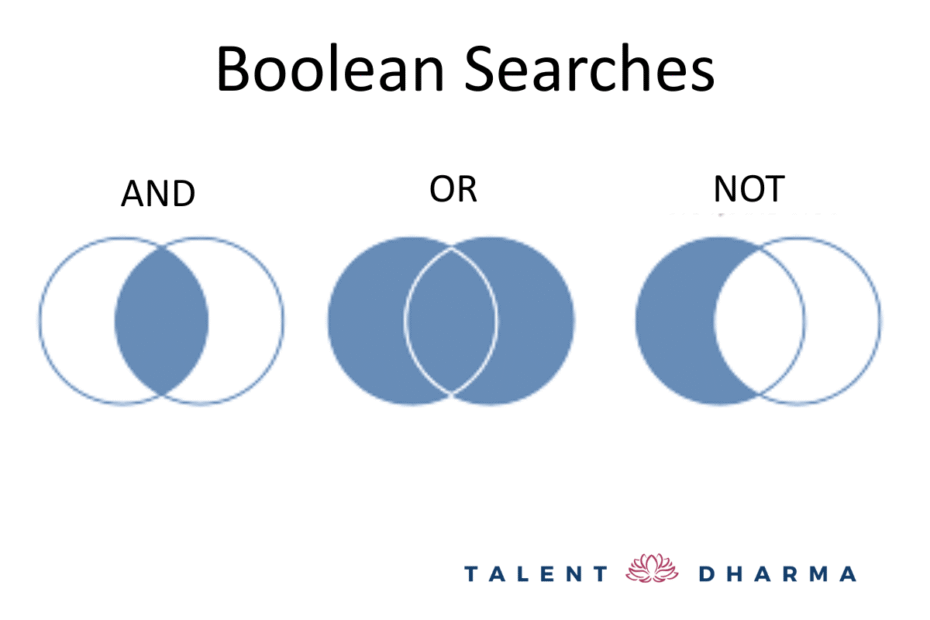
Boolean searches use operators like AND, OR, and NOT to connect keywords and control what shows up in your results.
Common Boolean Operators
- AND (or &): returns results containing all terms
Example:Hiring Manager AND Recruiter - NOT (or –): excludes unwanted terms
Example:-junior -jr - OR: includes either term or both; always uppercase
Example:(Technical OR IT)
According to the Juicebox guide “A Recruiter’s Guide to Mastering Boolean Search” (Oct 15, 2025), Boolean logic isn’t just a nice-to-have. It is fundamental for building a high-quality talent pipeline. Operators like AND, OR and NOT let you give commands to search engines with laser precision, rather than endless scrolling through irrelevant profiles.
Boolean Query Modifiers
These refine your searches even further.
- Quotation marks (” “): find an exact phrase
Example:"Senior Data Scientist" - Parentheses ( ): group words so LinkedIn reads the logic correctly
Example:("Data Scientist" OR "Machine Learning Engineer") - Asterisk (*): captures word variations
Example:recruit*returns recruiter, recruiting, recruitment
Examples
(“Software Engineer” OR “Backend Engineer”) AND Amazon NOT (intern OR junior OR jr)
(“Hiring Manager” OR “Recruiter”) AND Google AND (Lead OR Senior OR Director)
(“UX Designer” OR “Product Designer” OR “User Experience Designer”) AND Meta
Narrowing Your Search with LinkedIn Filters
Once you’ve built your Boolean query, it’s time to sharpen your results even more.
- Enter your Boolean search directly into LinkedIn’s main search bar.
- Click People.

3. Click All Filters.

4. Layer in additional criteria: location, company, industry, school, keywords, and more.
This combination is the secret sauce. It helps you quickly identify the right people to contact.
A Final Note
Boolean searches aren’t just about efficiency. They’re about intentionality. When you’re clear about who you want to connect with and why, you can network with purpose rather than desperation.
Here’s what I’ve seen with my clients: When they move from scattered LinkedIn scrolling to strategic Boolean searches, something shifts. They stop feeling like they’re throwing spaghetti at the wall. They start having meaningful conversations with people who actually align with their career goals and values.
And that’s when networking stops feeling like a chore and starts feeling like a genuine connection.
Remember, you’re not just building a contact list. You’re cultivating relationships with people who might become collaborators, mentors, champions, or friends. The quality of your network matters far more than the quantity.